 Save
Most pages titled “CRM for accountants” are really selling a practice management platform. That’s fine, but it means you should start by naming the bottleneck: is it leads, or is it client work?
Take a made-up firm, Northline Bookkeeping. Two people, 55 clients. Referrals land in a shared inbox and sit there for a week before anyone sends a proposal. That’s a CRM problem. Now give the same firm a different week: the proposals go out fine, but nobody can tell which client still owes a bank statement for October. That’s a practice management problem, and no sales pipeline fixes it.
This guide helps you tell which one you have, then compares the tools with 2026 prices from each vendor’s own page.
Last updated 10 November 2026. Prices checked on vendor sites the same week.
The short answer: CRM, practice management, or both
| If your main problem is… | You need | Start with |
|---|---|---|
| Leads go cold, proposals sit in email | A sales CRM or pipeline tool | HubSpot free, Zoho free, Pipedrive |
| Client jobs, documents and deadlines slip | Practice management | Financial Cents, Karbon, TaxDome, Canopy |
| Both, and you hate switching apps | An all-in-one practice platform | TaxDome, Canopy, Assembly |
| You already run funnels, SMS and ads | A marketing CRM beside your practice tool | GoHighLevel plus a practice platform |
If you’re not sure which row you’re in, read the practice management software guide first. It covers the client-work side in depth.
What CRM means inside an accounting firm
CRM stands for customer relationship management. In a firm, it does four jobs: holds the contact record, logs conversations, tracks a deal from enquiry to signed engagement, and reminds someone to follow up.
That’s it. A CRM doesn’t know a 1040 from a VAT return. It won’t build a recurring monthly bookkeeping job, send a tax organizer or hold the client’s ID in a secure portal. Some vendors add those things and still call the product a CRM, which is where the confusion starts.
CRM vs practice management
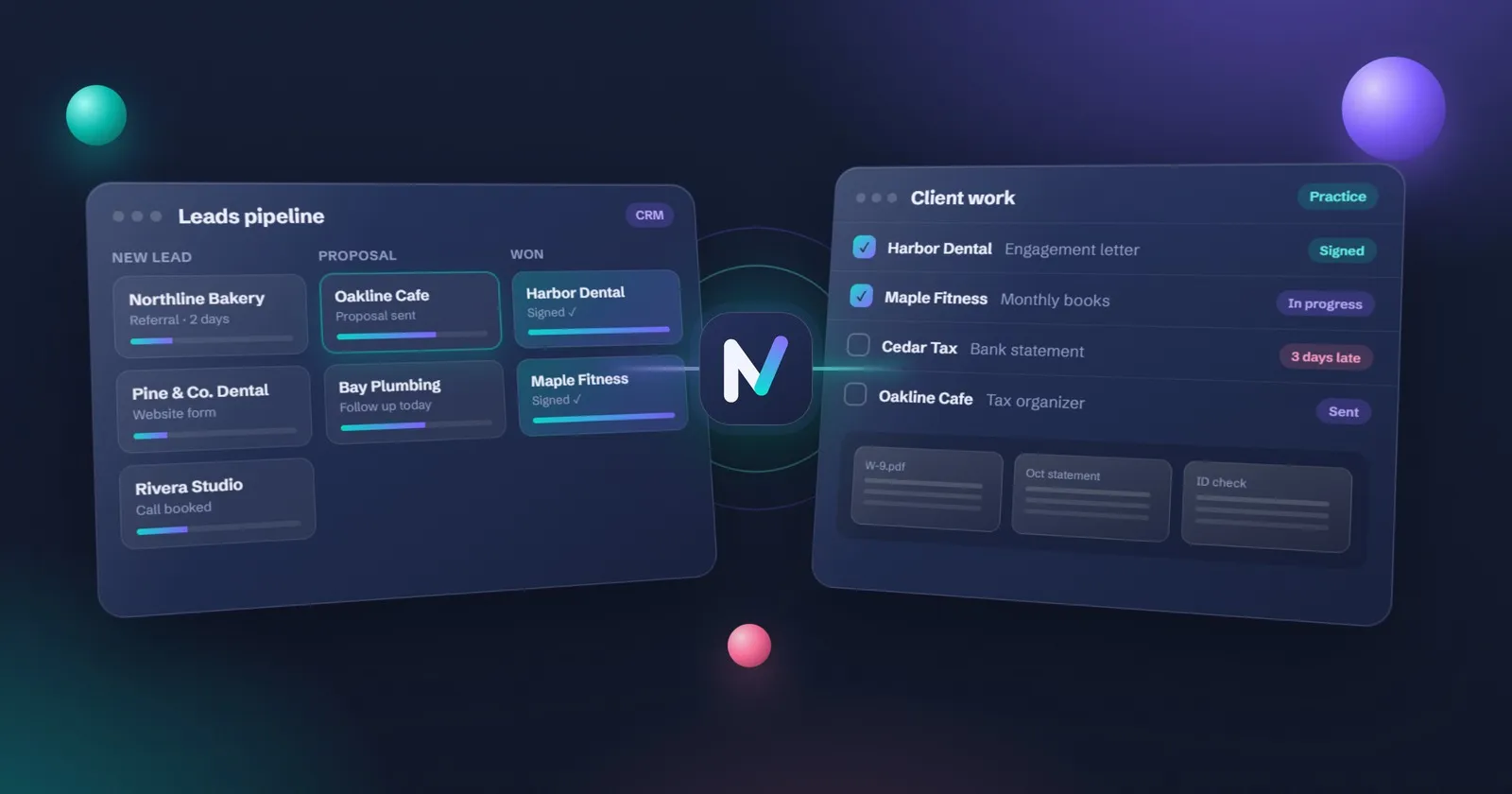
A CRM tracks leads, conversations and deals. Practice management software runs the client work after the deal: jobs, documents, portal, billing and team workflow. Many accounting “CRMs” are practice platforms with a pipeline bolted on. Pick by the bottleneck you have today, not by the label on the box.
Here’s a quick way to see the line. Ask what happens the moment a prospect says yes.
- In a sales CRM, the deal moves to “Won”. Then someone copies the details into another tool, sends an engagement letter and starts onboarding.
- In a practice platform, “Won” can trigger the engagement letter, create the client portal and open the first jobs.
The second one sounds better. It usually costs more per seat, and it’s slower to set up.
Do you need a CRM yet?
Probably not, if three things are true: you get fewer than five new enquiries a month, one person owns all follow-up, and proposals already go out within two days.
You likely do if any of these sound familiar:
- A prospect emailed twice before anyone replied.
- Two people each thought the other had sent the proposal.
- You can’t say how many proposals went out last quarter, or how many signed.
- Referral partners send leads and never hear what happened.
A shared spreadsheet with columns for name, source, stage, next step and date fixes the first two for a while. When you have more than about 20 open conversations at once, a real CRM pays for itself in follow-ups that don’t get lost.
Tools compared, with 2026 prices
Prices below are list prices from each vendor’s pricing page, checked the week of 10 November 2026 unless marked. Vendors change them often, so open the page before you buy.
| Tool | Type | Best for | Price shown on its site |
|---|---|---|---|
| TaxDome | Practice platform with CRM | Tax-heavy firms that want CRM, portal and jobs in one place | From $1,500 a year for up to 150 active clients, 20 seats included (checked 3 Nov; page blocked our check on 10 Nov) |
| Karbon | Practice platform | Teams that live in shared email | Team $59 per user a month annual ($79 monthly, 4+ users); Business $89 annual / $99 monthly |
| Canopy | Practice platform, modular | US firms wanting CRM, portal and tax resolution | Standard $74, Plus $109, Premium $149 per user a month, billed annually |
| Financial Cents | Practice management | Solo and small firms on a budget | Solo $19 a month; Team $49 and Scale $69 per user a month annual; 12-month agreement; 14-day trial |
| Method:CRM | Sales CRM for QuickBooks users | QuickBooks-centric bookkeepers | Quick Start $35, Pro $59, Enterprise $97 per user a month; 10% off annual prepay |
| HubSpot CRM | Sales CRM | Lead capture and a free pipeline | Free for up to 2 users and 1,000 contacts; Starter list $20 per seat a month (often discounted for new customers) |
| Zoho CRM | Sales CRM | Small firms that want a free tier | Free for 3 users; paid editions per user a month (check current price) |
| Pipedrive | Pipeline CRM | A simple sales pipeline | Per-user plans; check current price on pipedrive.com |
| Liscio | Client messaging and files | Firms whose pain is client communication | File Intelligence $19 or Platform $49 per user a month, billed annually |
| Assembly | Portal plus CRM and billing | A branded client portal with light CRM | Free plan for 5 active contacts; paid plans by month (check current price) |
| GoHighLevel | Marketing CRM | Funnels, SMS and automated follow-up | Plan pricing varies; check HighLevel’s own pricing page |
Two pricing models hide in that table. Per-user tools (Karbon, Canopy, Financial Cents) get expensive as you hire. TaxDome charges by active client, so a solo with 60 clients still pays for the 150-client minimum, while a five-person firm with 150 clients pays very little per head. The TaxDome alternatives guide works through that in more detail.
What three made-up firms would pay
List prices only, annual billing, checked the week of 10 November 2026.
| Firm | Setup | Likely pick | Yearly cost |
|---|---|---|---|
| A: solo bookkeeper, 40 clients, wants a referral pipeline | 1 user | HubSpot free CRM | $0 |
| A, if client work is the real mess | 1 user | Financial Cents Solo | $19 x 12 = $228 |
| B: 3 staff, 120 tax clients, needs portal and jobs | 3 users | TaxDome (up to 150 clients) | $1,500 (confirm on taxdome.com) |
| B, on Canopy instead | 3 users | Canopy Standard | $74 x 3 x 12 = $2,664 |
| C: 2 staff, heavy QuickBooks Online bookkeeping, wants two-way sync | 2 users | Method:CRM Pro | $59 x 2 x 12 = $1,416, less 10% if prepaid |
Firm A is the interesting one. Spending $0 on a CRM and $228 on practice management is often the right order for a solo. Leads find you through referrals. Missing documents are what eat your evenings.
Free and low-cost starting points
You can get a long way for nothing.
- HubSpot free CRM: 2 users, 1,000 contacts, a deal pipeline and email logging. The free tier has no time limit.
- Zoho CRM free edition: 3 users, with a cap on email templates and API calls.
- A shared spreadsheet: name, source, stage, next step, next date. Sort by next date every Monday.
Pair any of those with a clear engagement letter template and the free client onboarding tracker (our own product, a spreadsheet) and you’ve covered lead to signed client without a subscription.
GoHighLevel for accountants
GoHighLevel is a marketing CRM: forms, funnels, SMS, email sequences, pipelines and a booking calendar. It’s very good at the front of the funnel. A lead fills in a form, gets a text in 30 seconds, books a call, and drops into a pipeline stage without anyone touching it.
Where it struggles is the work after the yes. Recurring bookkeeping jobs, tax organizers and a client document portal aren’t what it was built for. Firms that use it well usually run GoHighLevel for marketing and a practice platform for delivery. The GoHighLevel for accountants guide shows the setup step by step, including SMS registration.
Security and client data in a CRM
A CRM full of tax and bookkeeping contacts holds personal data, so the same rules apply as for any other system.
| Market | What applies | Where to read it |
|---|---|---|
| US | Safeguarding taxpayer data, a written information security plan, and the FTC Safeguards Rule for tax preparers | IRS Publication 4557, Publication 5708, 16 CFR Part 314 |
| US | Consent before tax return information is used beyond preparation | Section 7216 information center |
| UK | Anti-money-laundering supervision and client due diligence records | GOV.UK accountancy AML registration |
| Canada | Responsibility for personal data you hand to a third-party service provider | OPC guidance on third-party providers |
| Australia | Privacy Act duties for client records | Check the OAIC site for current guidance |
In practice, that means four checks before you sign up: two-factor login for every user, a way to export your data, a clear answer on where data is stored, and no tax documents sitting in a sales CRM. Keep documents in a client portal instead.
Where an AI assistant helps in CRM work
AI is good at the writing around a CRM: the follow-up email after a discovery call, a summary of a 40-minute call into five lines, a first draft of the proposal scope. Our main pick for that is Grok Bot; the Grok Bot setup guide covers it. ChatGPT, Claude and Microsoft Copilot do the same jobs, and the model comparison explains the differences.
A person still decides the fee, the scope and who you take on. And if the conversation touches tax return information, US Section 7216 consent rules apply before you paste it anywhere. The AI prompts for accountants page has ready follow-up prompts that don’t need client data at all.
How to trial two tools before you pay
Most of these vendors give 10 to 14 days free. Use them properly:
- Pick two tools from different rows of the short-answer table, not two of the same kind.
- Build a fake pipeline with ten invented leads at different stages.
- Run one lead from enquiry to signed engagement in each tool, timing it.
- Ask a colleague to find “who needs a follow-up today” without help.
- Export the contacts to a spreadsheet and check nothing is missing.
- Read the cancellation terms. Financial Cents, for example, is a 12-month agreement.
- Choose the one your colleague used without asking you questions.
Step 7 matters more than any feature list. A CRM nobody updates is a very expensive spreadsheet.
When you’re ready to move the new client from “signed” to “working”, the client onboarding software guide picks up where this one ends. More guides like this are on the tax firms hub.
Questions
What is the best CRM for accountants?
There is no single winner. If your problem is leads and proposals, a sales CRM such as HubSpot, Zoho or Pipedrive is enough. If your problem is client work, documents and deadlines, a practice platform such as TaxDome, Karbon or Financial Cents does more. Pick by the bottleneck you have today.
What is the best CRM for small accounting firms?
For a solo or two-person firm, start cheap: HubSpot's free CRM (2 users) or Zoho's free edition (3 users) for leads, or Financial Cents Solo at $19 a month if client work is the bigger mess. Move up when follow-ups or deadlines start slipping, not before.
What is the best CRM for CPA firms?
Most CPA firms are tax-heavy, so they get more from a practice platform with a portal and organizers than from a sales CRM. TaxDome and Canopy are built around tax work. Karbon suits teams that live in shared email. Add a sales CRM only if you actively chase new business.
Do accountants need a CRM or practice management software?
If new leads go cold in your inbox, you need a CRM. If existing clients' work, documents and deadlines go missing, you need practice management. Many small firms need the second one first, because referrals arrive anyway and the real pain is running the work.
Is there a free CRM for accountants?
Yes. HubSpot's free CRM covers up to 2 users and 1,000 contacts, and Zoho CRM's free edition covers 3 users. Assembly has a free plan for 5 active contacts. None of them replaces a client portal or a jobs list, so check what you need before you settle.
Is Zoho CRM good for accountants?
Zoho CRM is a solid sales CRM with a free tier for 3 users. It tracks leads and deals well. It is not built for tax organizers, engagement letters or recurring client jobs, so firms that need those either add Zoho's other apps or use a practice platform instead.
What is accounting CRM software?
It is software that keeps contacts, conversations and deals in one place for an accounting or bookkeeping firm. Some products marketed as accounting CRM are really practice management tools with a pipeline added, so read what they do after the deal closes.
Can GoHighLevel work as a CRM for accountants?
Yes, for pipeline, forms, SMS and email follow-up. It is strong at bringing leads in and nudging them. It is weak at recurring client jobs, tax organizers and document portals. Many firms run GoHighLevel for marketing beside a practice platform for the work.
Does a CRM replace a client portal?
No. A CRM tracks who the client is and where the deal stands. A client portal is where the client uploads documents, signs and pays securely. Some practice platforms include both; a sales CRM usually does not.
This guide covers running the practice, not tax law. Rules differ by country and change often, so check anything technical with your local tax authority or professional body.