Bank statements, coded
Upload a CSV, Excel file or PDF. Known suppliers are coded from what you have done before, new ones get an AI suggestion, and anything unsure is held with the reason. Then it goes to Xero.
NeatlyReady Practice, for accounting and bookkeeping firms
Bank statements coded. Clients chased. Every filing date on one calendar. Letters signed and invoices sent. It does the busywork, and a person at your firm approves anything that counts.
14 days free. No card. Fill it with sample clients and look around first.
Try the idea
This is how a bank statement feels. Lines it is sure of are done, and each one it isn't says why it stopped. Approve these two.
All approved. In the product, this is when it goes to Xero, and they are remembered for next month.
The real product
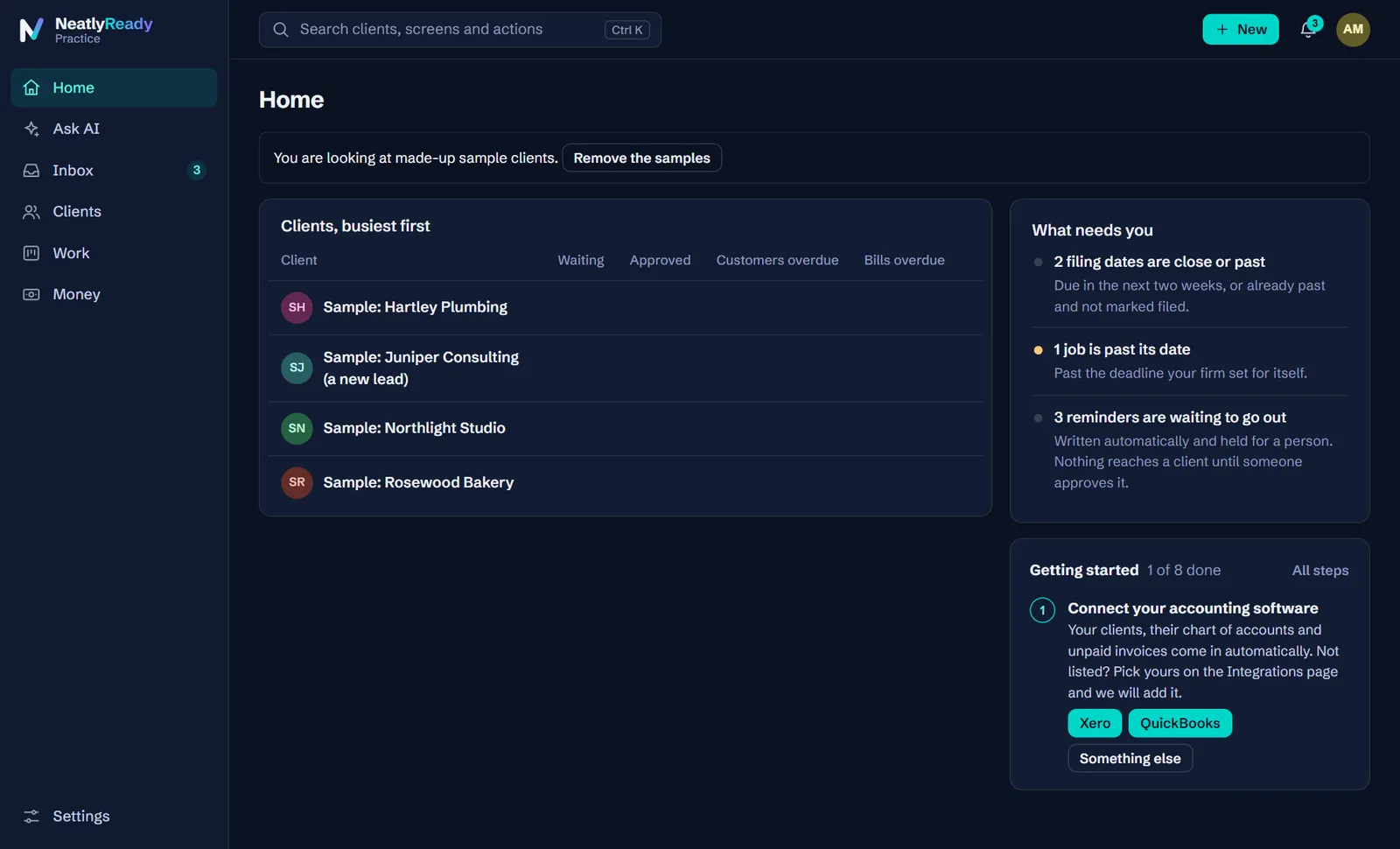
These are real screens, filled with the same made-up sample clients you can load on day one.
Choose what each client files and the dates work themselves out from the tax authority's published rules, with a link to the rule beside each one. Covers the US, UK, Canada and Australia.
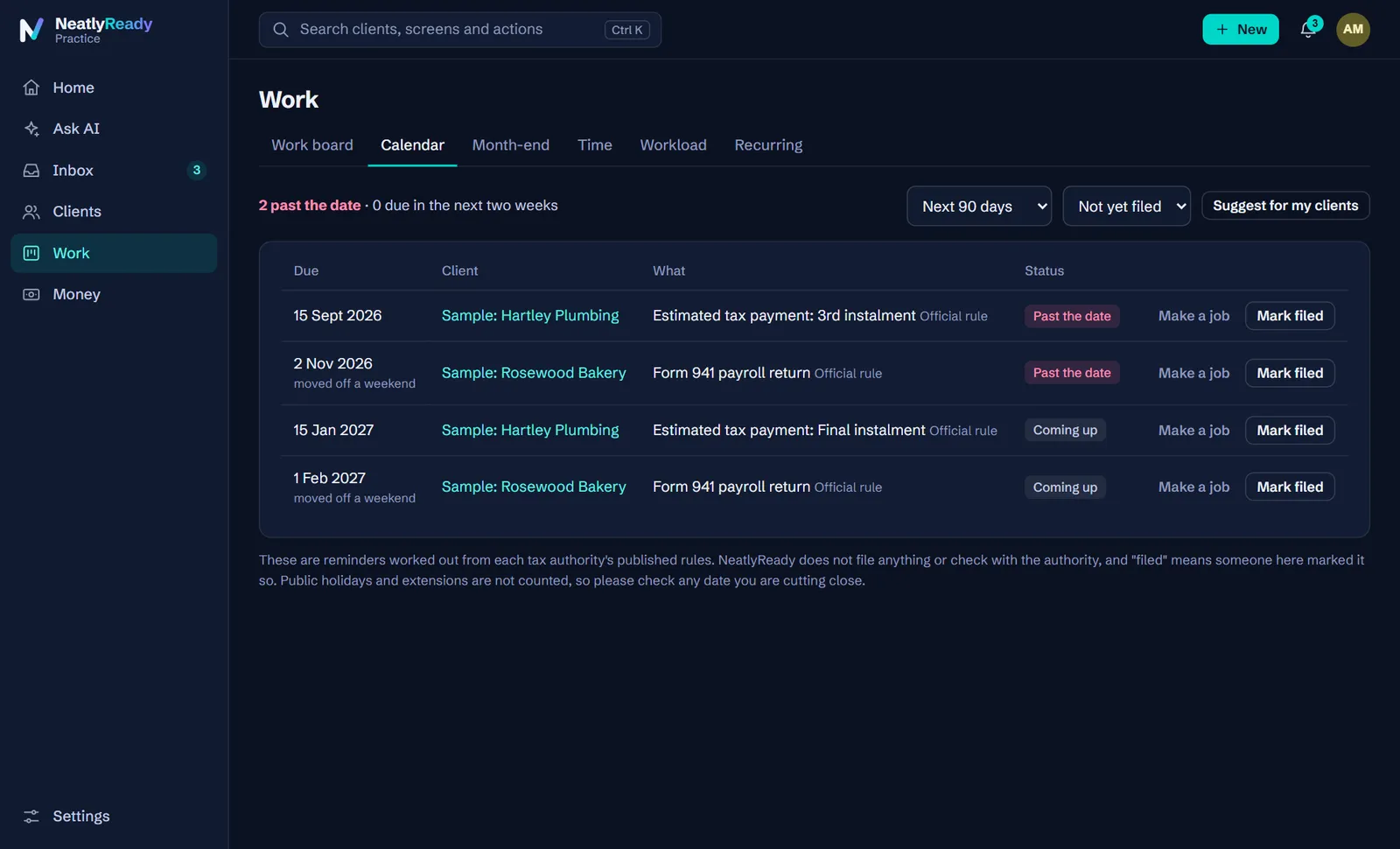
One board for every job, with the people, dates and stage on each card. Recurring work raises itself each month and never twice.
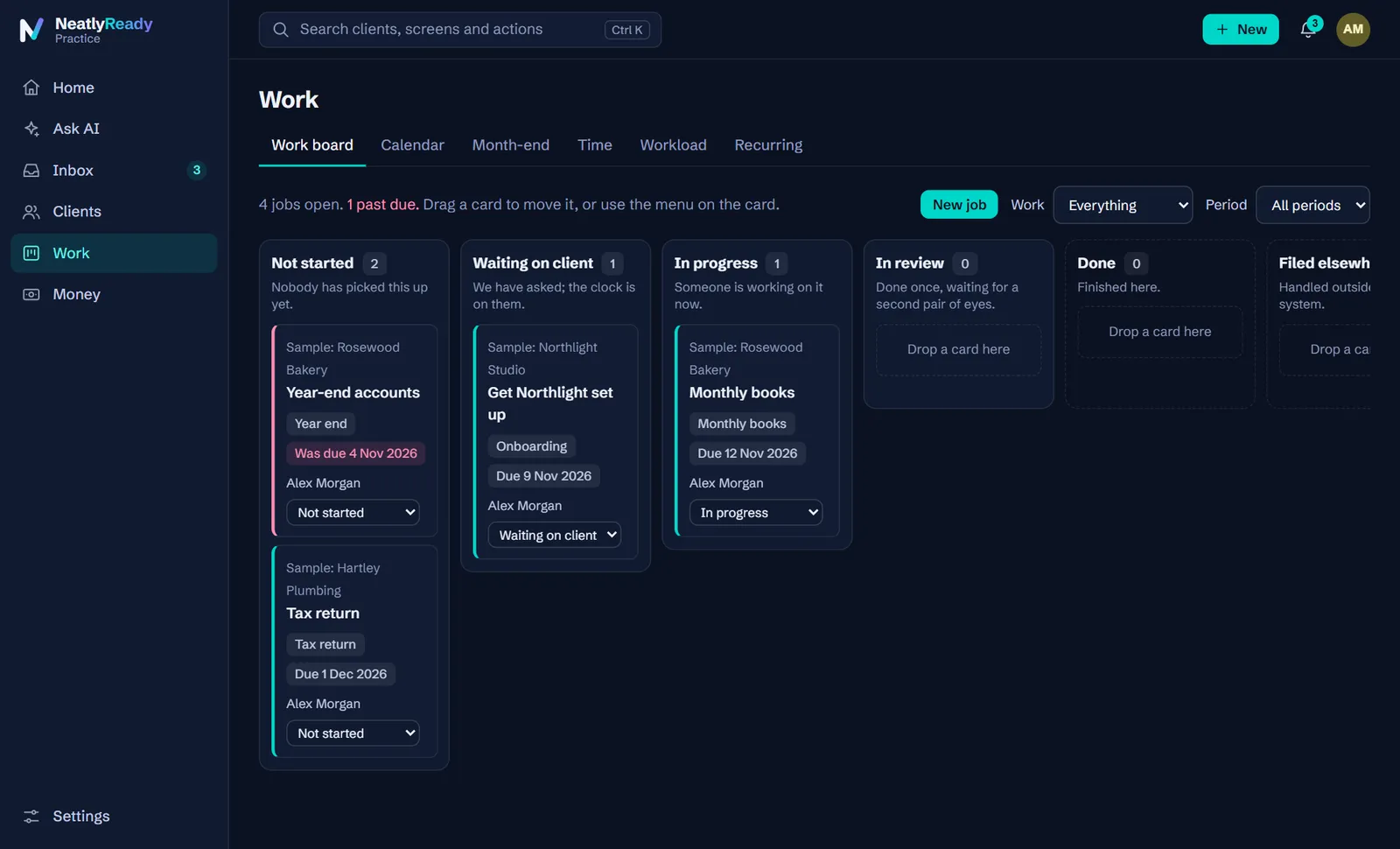
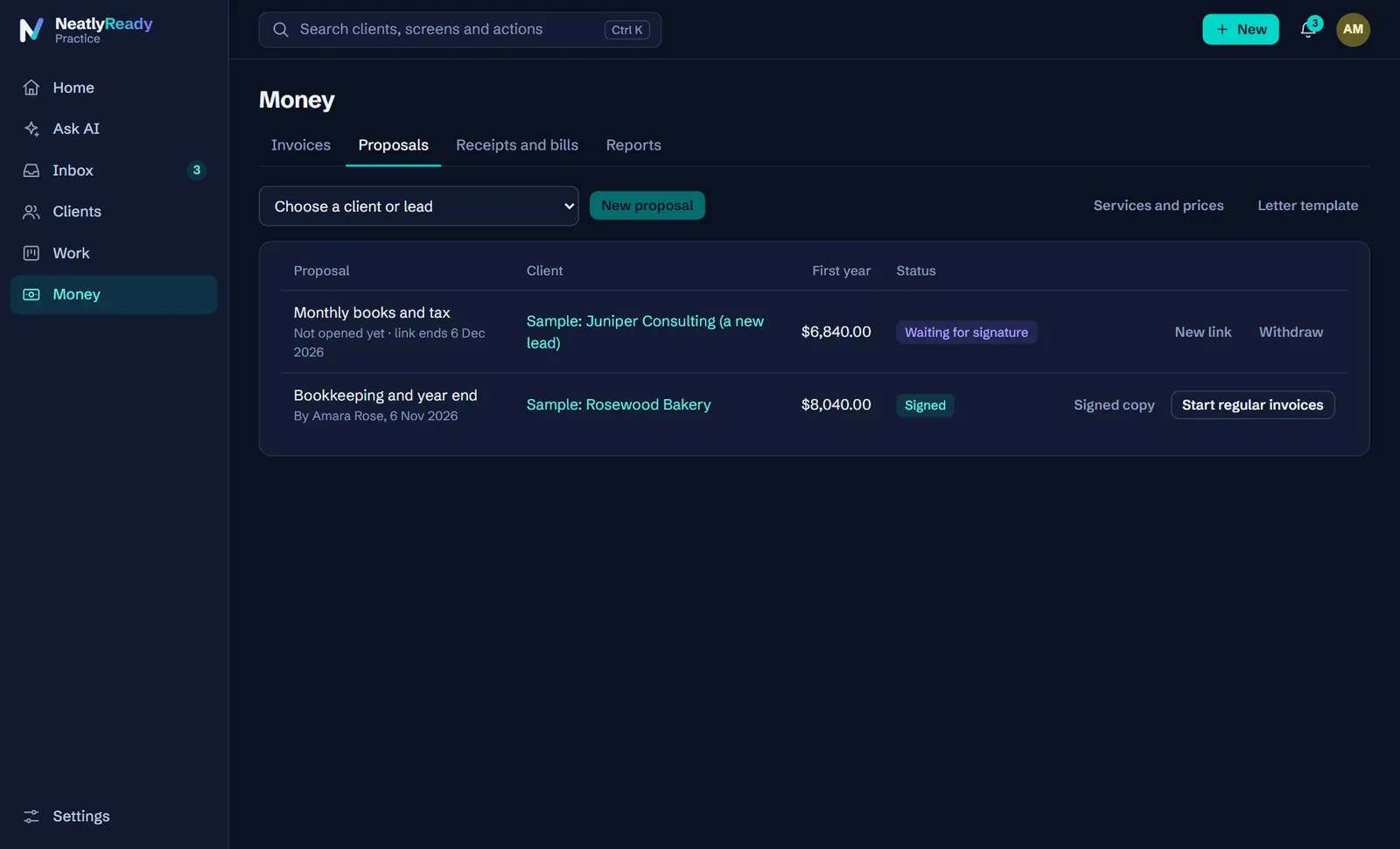
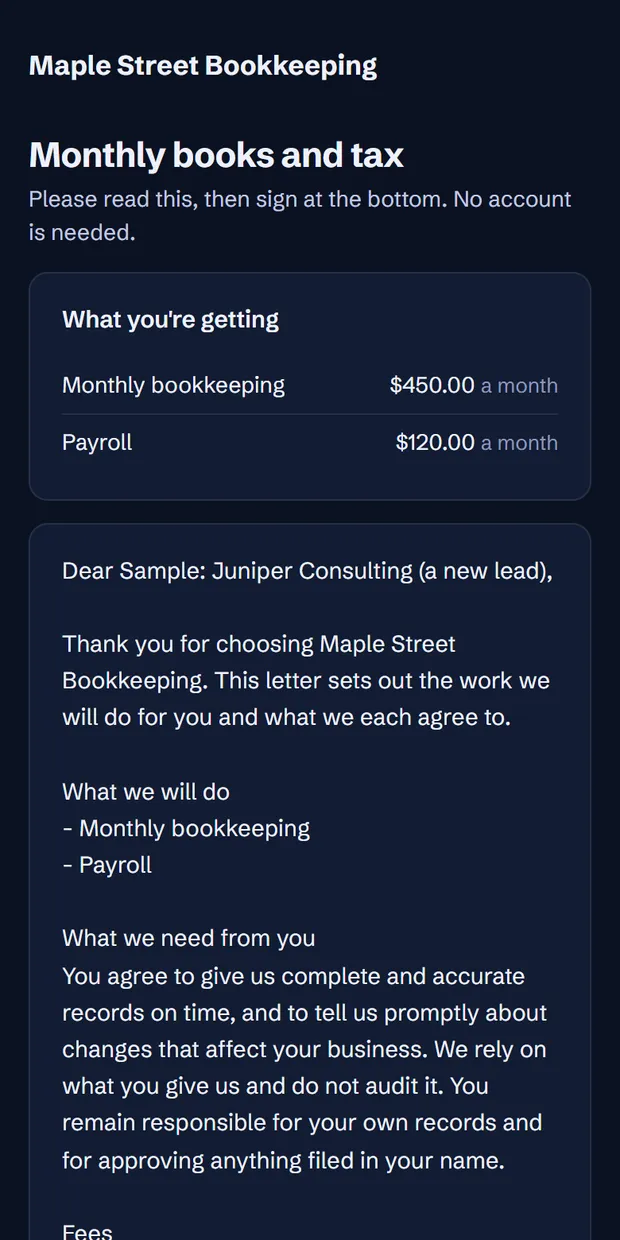
Pick your services and the engagement letter fills itself in. The client reads and signs on their phone, with no account, and a signed PDF is filed on their record.
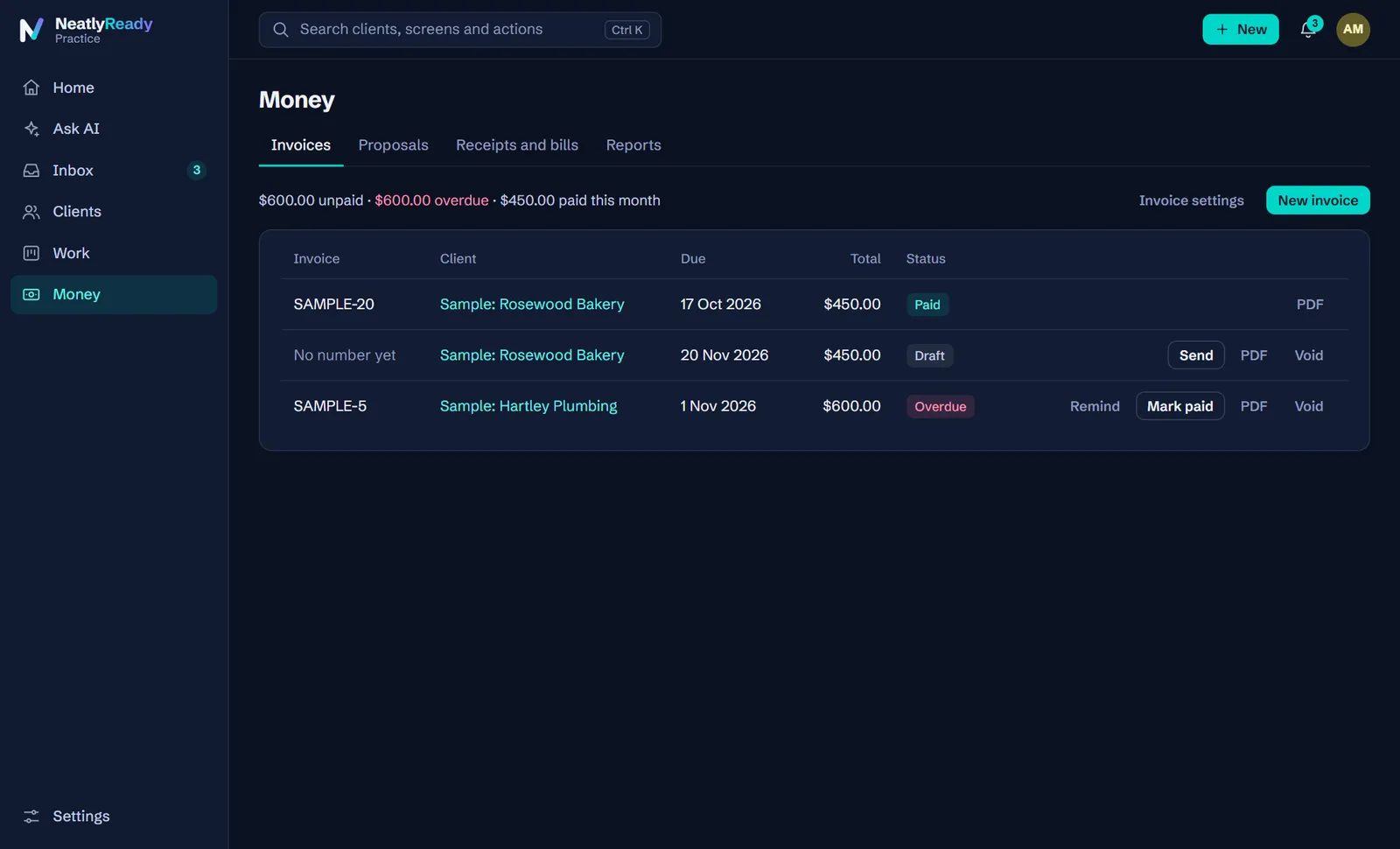
Turn unbilled time into an invoice, or let a signed proposal draft one each month. Nothing goes out until a person sends it, and your clients pay you directly.
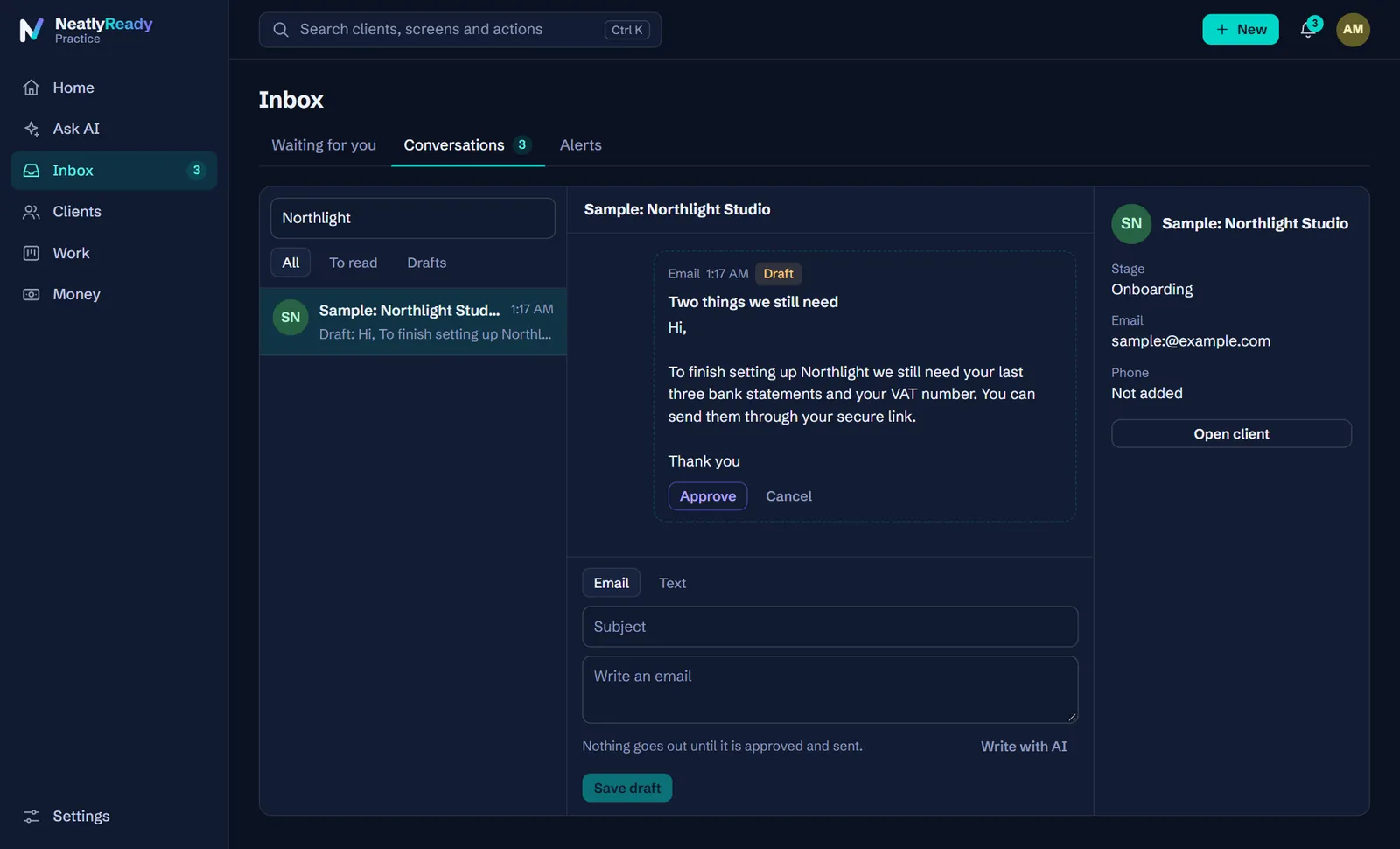
What you sent and what they said, side by side, with their details alongside. Ask AI to write the next message, then change it and approve it.
For your clients
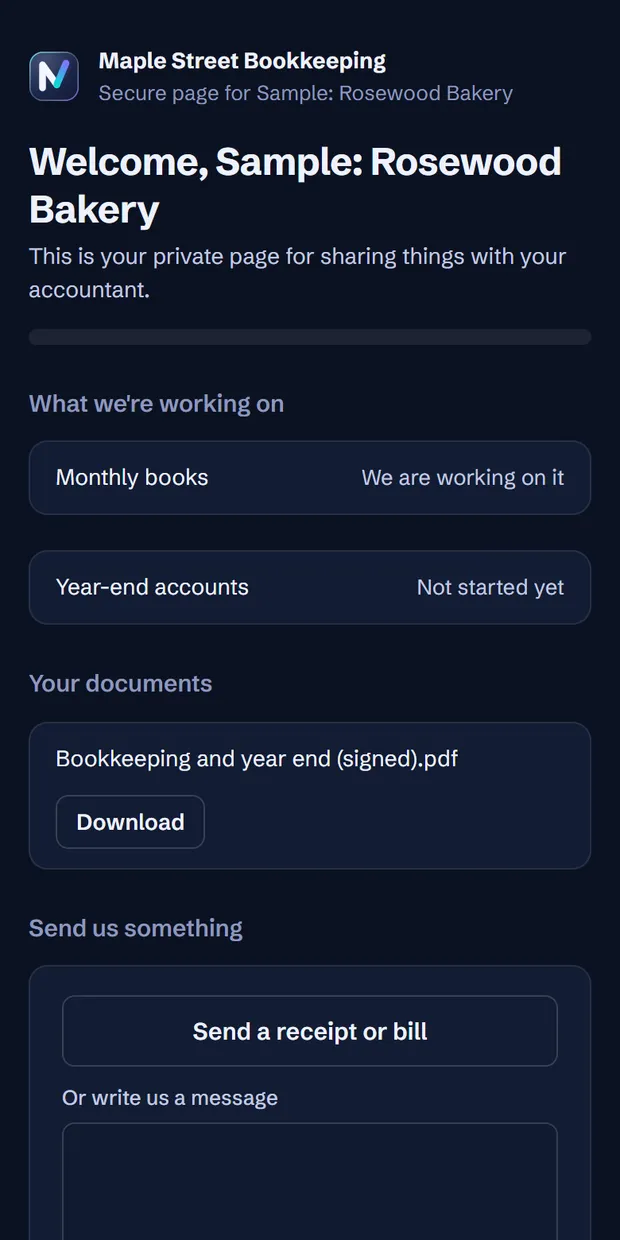
Your clients open one link on their phone to sign, send documents, see what you're working on and pay.
Everything in one place
Upload a CSV, Excel file or PDF. Known suppliers are coded from what you have done before, new ones get an AI suggestion, and anything unsure is held with the reason. Then it goes to Xero.
Send one private link with everything you need. Reminders go out as drafts on your schedule, stop the moment a client replies, and tell you when someone has gone quiet.
A calendar across all your clients, a job one click away, and an alert before a date arrives.
Your services, your prices and your letter. Every signature is recorded with who, when, and a fingerprint of the exact words they agreed to.
From time, by hand, or monthly from a proposal. Add your own payment link or bank details. Overdue ones get a reminder in one click.
Checklists where the person who checks is not the person who did it. Sign-off writes a working paper and locks the period here.
No password. They send documents and receipts, see what you are working on, read what you shared and write to you.
Clients send them in. With a PDF-reading AI key the details fill themselves in, and you match them to a bank line or send a draft bill to Xero.
A timer on every screen, work in progress valued at the rate on the day, and a report on which clients actually pay for the time they take.
When a proposal is signed, add the job and start the invoices. Pick from a short list that a person could do by hand. None of them can reach a client.
Write down how your firm does things once. Your team reads it, and Ask AI answers from it.
Ask what needs you today, add a lead, draft a message, or log your time, in plain words. Anything that changes your records waits for you to agree.
Built for people who get audited
You sign your name to this work. These rules are built into the product, and each one has a test behind it.
Reminders, invoices, letters and AI drafts are all drafts until someone at your firm approves and sends them.
A person approves coded lines. The one exception is off by default: an owner can allow auto-approval above a confidence they choose, never below 95%.
Staff prepare, reviewers approve, and nobody signs off their own work unless a sole practitioner turns that on, in which case it is marked on the record.
Each change goes in a log that cannot be edited, chained together so that tampering shows.
A client's email or a bank statement cannot give the AI instructions. We have tested that against a real model.
Connect your own key from xAI, OpenAI, Anthropic, Google or others. One key runs every job, with a monthly limit you set, and you pay the provider directly.
Read how we handle security, including what is not in place yet
Getting started
Pricing
14 days free with everything in Pro. No card needed. Cancel whenever you like.
For a sole practitioner or a small team.
$49a month, USD
Includes 10 connected client organisations and 3 staff
For a growing firm with reviewers.
$149a month, USD
Includes 40 connected client organisations and 10 staff
For an established firm.
$349a month, USD
Includes 120 connected client organisations and 25 staff
AI runs on your own key, so you pay your provider directly. We add nothing on top.
You should know before you sign up, not after.
No. It reminds you of dates, keeps the work moving and holds the record. You file the way you do today, then mark it filed. We would rather say that plainly than have you find out on a deadline.
Xero is fully supported and tested against real Xero organisations. QuickBooks Online is built and in early access, and has not yet been run against a live company, so please try it on a test company first. With neither, you can still upload statements and use everything else.
No. Coding from your own history, chasing, the calendar, proposals, invoices and the rest all work without one. A key adds suggestions for new suppliers, reading PDFs, written summaries and Ask AI. You pay your provider directly, and we add nothing on top. On Grok, a typical Ask AI question cost a fraction of a cent in our testing.
No. Whatever it prepares waits in your Inbox for a person to agree. The only exception is auto-approving coded lines, which is off unless the firm owner turns it on, and can never be set below 95% confidence.
Each signature records the name typed, the time, the address it came from and a fingerprint of the exact text. Simple electronic signatures like this are widely used for engagement letters, but the rules vary by country and profession, so please check with your own adviser. The letter is a starting template and you should have it reviewed too.
No. Each client gets a private link. It works on a phone, and you can replace the link at any time.
Export your client list as a CSV from your current tool or a spreadsheet and drop it in. We recognise common column names, show you exactly what will happen before anything changes, and skip anyone you already have.
Yes, whenever you like. One button downloads everything your firm has here. If you stop paying, you can still read and export your records. What stops is anything that reaches outward, like sending to a client or a ledger.
Passwords and keys to other services are encrypted with a separate key for each firm and never shown back. One firm cannot reach another's data, and there is a test for that. We do not have a SOC 2 report yet. Our security page says what is in place and what is not.
The product works anywhere. The filing calendar covers common federal and national dates for the US, UK, Canada and Australia. State and provincial filings are not included yet, so keep tracking those.
Nothing is charged, because we never asked for a card. Choose a plan to keep sending and syncing. Your records stay readable and exportable either way.
See it with sample clients in five minutes. Bring in your own when you're ready.
14 days free. No card. Your data is yours, and you can export it at any time.